
Transform Your Laserfiche Forms: Adding Rounded Corners and Shadow Effects for a Sleek, Modern Look
- schooloffiche
- Dec 10, 2024
- 1 min read

Updated: Dec 26, 2024

Introduction:
Enhancing your Laserfiche forms with rounded field corners and shadow effects can significantly improve their visual appeal and functionality. This modern design approach not only makes your forms look more polished and professional but also enhances user experience by creating a more inviting and intuitive interface. Rounded corners soften the overall appearance, making the form feel less rigid and more approachable, while shadow effects add depth and dimension, guiding the user’s focus to key areas. These subtle yet impactful design elements can make your forms stand out, encouraging higher engagement and completion rates.
Test Version: Laserfiche Forms Professional Version 11.0.2311.50564
Setup: Download codes from Bait and Tackle "Apply rounded corners and shadows to your fields"
Apply rounded corners and shadows to your fields - Modern Designer
Add a Custom HTML field to your form.
Select the Code View.
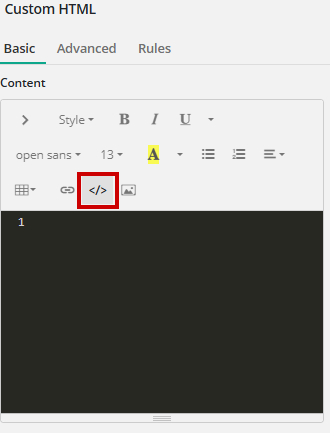
Copy and paste the HTML code from "Apply rounded corners and shadows to your fields".
Select CSS in the top right corner.

Copy and paste the CSS code from "Apply rounded corners and shadows to your fields" into CSS to apply styling to your form.
Hooking Users with Rounded Corners and Shadows
By incorporating rounded corners and shadows into your Laserfiche forms, you’re not just enhancing aesthetics—you’re casting a wide net for a better user experience.


